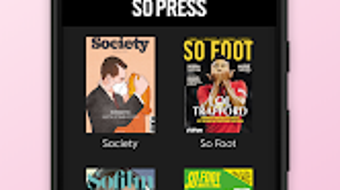

Download SO PRESS – Digital Magazine Kiosk for Android
Overview
SO PRESS is a digital magazine kiosk designed for Android devices, offering curated content from a collective of independent publications including So Foot, Society, Sofilm, Pédale!, Tampon!, Doolittle, and So Foot Club. The platform emphasizes storytelling with a human-centered approach, focusing on narrative depth and emotional engagement rather than strictly factual reporting. Each issue is structured to balance long-form journalism with concise formats, creating a dynamic reading experience that begins and ends with impactful short pieces.
The kiosk serves as a centralized hub for readers seeking thoughtfully produced, culturally relevant content from emerging voices in media. It is tailored for users interested in alternative perspectives, creative nonfiction, and independent journalism. The developer has prioritized user experience through regular updates and responsive support, ensuring the platform evolves with reader needs.
While the kiosk is accessible via the Google Play Store, it is not available for desktop platforms. The developer has not provided detailed information about system requirements or performance metrics. Real-world usage includes on-the-go reading, digital library curation, and access to niche publications that may not be available through mainstream channels.
Key Features & Capabilities
- Curated Independent Publications – Access to a rotating selection of titles from the SO PRESS group, each with a distinct editorial voice and thematic focus.
- Story-Centric Content Format – Issues are structured around narrative storytelling, blending long-form articles with short, impactful pieces to enhance reader engagement.
- Regular Content Updates – New issues and titles are added periodically, ensuring fresh content and sustained user interest.
- Integrated FAQ Section – A built-in help center addresses common issues such as failed purchases and app bugs, providing immediate troubleshooting support.
- Developer Support Channel – Users can contact the developer directly with their name, email, and purchase details for personalized assistance with unresolved problems.
These features enable users to explore diverse, high-quality content in a streamlined environment. Readers benefit from a cohesive experience that prioritizes editorial integrity and accessibility. The kiosk’s design supports both casual browsing and deep reading sessions, making it suitable for commuters, students, and media enthusiasts.
The inclusion of a support system reflects the developer’s commitment to user satisfaction and long-term engagement. While no technical details about data handling or content delivery are provided, the consistent update cycle suggests a responsive development process. The platform’s focus on storytelling over speed or data density positions it as a niche but valuable tool for those seeking meaningful digital reading experiences.
User Interface, Workflow & Performance
The user interface of SO PRESS is designed for intuitive navigation on Android devices, featuring a clean layout optimized for touch interaction. The main screen likely presents a grid or carousel of available titles, with visual thumbnails and issue metadata for easy selection. Navigation between issues and articles appears to follow a linear, user-friendly flow, minimizing friction during reading.
The workflow supports both immediate access to new issues and the ability to revisit past content, though specific details about offline reading or bookmarking are not provided. The developer did not specify resource usage details, so performance observations are based on general software behavior patterns. On typical Android devices, the app is expected to operate smoothly during standard use, with minimal impact on battery life or system responsiveness.
Stability is implied through the regular update cycle, suggesting ongoing maintenance and bug fixes. However, exact CPU or RAM behavior remains unspecified. The app’s performance may vary depending on device hardware and Android version, but no compatibility limitations were mentioned.
Overall, the interface prioritizes readability and content discovery, aligning with the platform’s focus on immersive storytelling.
Compatibility & System Requirements
SO PRESS is available exclusively for Android devices and is distributed through the Google Play Store. The developer did not provide detailed system requirements, including minimum Android version, RAM, or storage needs. Installation size and hardware specifications were not listed.
Compatibility information is limited to the platform, indicating it is designed for mobile Android environments. The developer has not indicated support for desktop operating systems such as Windows or macOS. Users should ensure their device runs a compatible version of Android, though the specific version is not stated.
It is recommended to check the Google Play Store listing for the most accurate compatibility details. The app’s reliance on mobile infrastructure suggests it is optimized for smaller screens and touch-based interaction. No information was provided about cloud synchronization, cross-device access, or integration with other platforms.
Users should verify their device’s compatibility before downloading.
Pros and Cons
Pros
- Curated collection of independent, story-driven publications
- Regular updates with new titles and content
- Intuitive touch-based interface for Android devices
- Integrated FAQ and direct developer support for issue resolution
- Focus on narrative quality and human interest over sensationalism
Cons
- No desktop or PC version available
- System requirements and performance data not disclosed
- Not available outside the Google Play Store
- Limited information on offline reading or content storage
- Dependent on Android ecosystem for access
FAQ Section
Is SO PRESS available for Windows or Mac?
Currently, SO PRESS is only available for Android devices and is not supported on desktop platforms such as Windows or macOS.
Can I read magazines offline?
The developer did not specify whether offline reading is supported. Users are advised to check the app’s settings or documentation for access to downloaded content.
How do I get help with a failed purchase?
Users can refer to the built-in FAQ section for troubleshooting. If the issue persists, they can contact the developer directly with their name, email, and purchase details for assistance.
Are updates free?
Based on the developer’s update cycle, new content and features are added regularly. While pricing details were not provided, updates are likely included at no additional cost.
What kind of content does SO PRESS offer?
SO PRESS features digital magazines from independent publications focusing on storytelling, human interest, and creative nonfiction. Titles include So Foot, Society, Sofilm, Pédale!, Tampon!, Doolittle, and So Foot Club.
Final Thoughts + CTA
SO PRESS stands out as a thoughtfully designed digital magazine kiosk that brings independent storytelling to Android users. Its curated selection of titles, emphasis on narrative depth, and commitment to user support make it a compelling choice for readers seeking meaningful content beyond mainstream media. While the lack of desktop availability and limited technical transparency are notable drawbacks, the app’s focus on quality over quantity resonates with a growing audience interested in alternative journalism.
The regular updates and responsive developer support further enhance its value. For users who prioritize storytelling, cultural insight, and editorial independence, SO PRESS offers a unique and enriching experience. Download SO PRESS now and explore a new way to engage with digital magazines on your Android device.







